


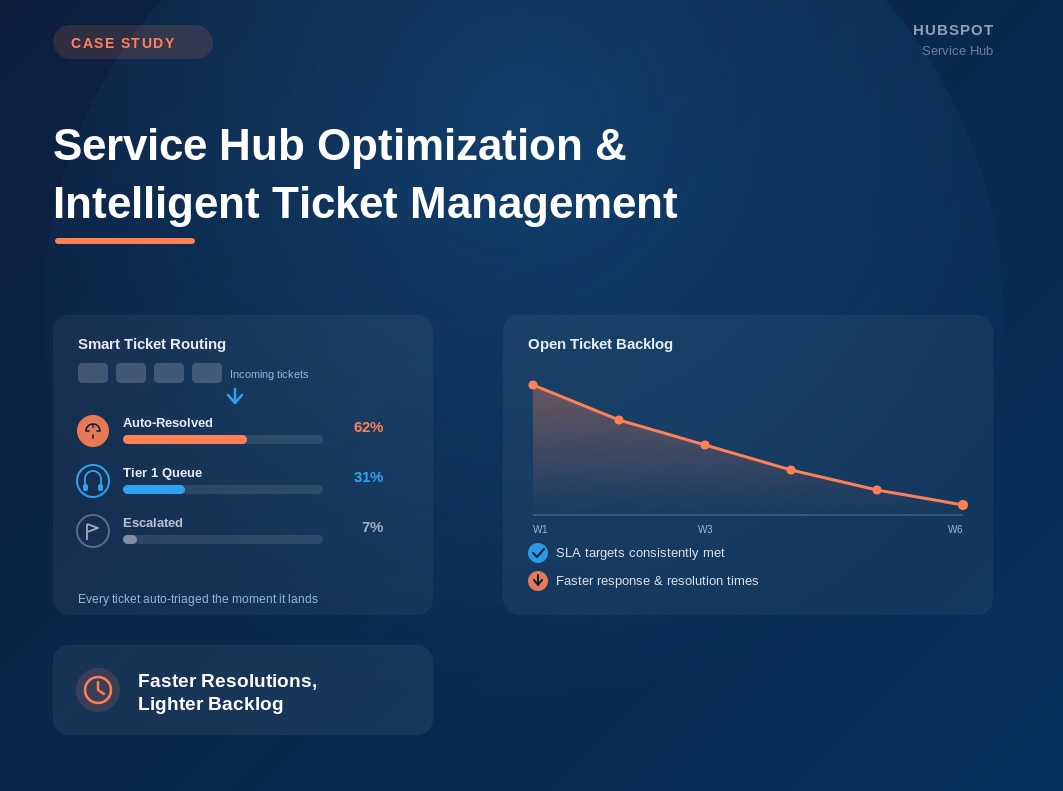
The client’s customer support team was struggling to meet its service level targets as ticket volume continued to increase. Although the team was working efficiently, much of their time was spent processing routine inquiries, sorting incoming requests, and working through backlogs that accumulated overnight and over weekends.
A detailed review of the client’s support operation revealed that many tickets required little or no manual action. Transaction confirmations, automated notifications, and other low-value conversations remained in the inbox alongside genuine customer issues, making it difficult for agents to identify the requests that required immediate attention.
The situation became even more challenging outside normal business hours. New inquiries accumulated until staff returned, creating a backlog at the start of each day and delaying responses for customers who needed assistance.
The client needed a more efficient service operation that could reduce unnecessary ticket volume, prioritize meaningful customer requests, and ensure inquiries reached the right team members as quickly as possible.
Our Approach
Rather than focusing on a single automation, we redesigned the client’s service intake and ticket management process to reduce manual effort throughout the support workflow.
The first improvement addressed inbox organization. We created automated filtering and ticket management rules that identified transactional emails, confirmations, and follow-up notifications that did not require agent involvement. These tickets were automatically processed and closed, dramatically reducing the amount of noise within the service inbox and allowing agents to focus on requests that genuinely required attention.
To improve after-hours support, we partnered with a developer to implement an AI-powered chatbot that engaged customers whenever service representatives were unavailable. The chatbot answered routine questions immediately and collected the information needed to route more complex requests to the appropriate support team.
Within HubSpot, additional routing logic evaluated incoming conversations based on keywords, time of day, and agent availability. Tickets were automatically directed to the appropriate queues and team members, reducing manual triage and ensuring requests were assigned consistently.
Together, these improvements created a streamlined support process that reduced unnecessary work, improved ticket visibility, and enabled the team to respond more efficiently without increasing headcount.
Results
The operational improvements had an immediate impact on both team productivity and customer experience.
Automated inbox management reduced the number of visible tickets by approximately 60%, allowing support agents to focus their attention on meaningful customer issues instead of sorting through transactional communications.
By combining intelligent routing with after-hours automation, the team significantly reduced the backlog that had previously accumulated each morning. New tickets reached the appropriate service representatives more quickly, enabling faster and more consistent responses.
The improvements translated directly into measurable performance gains. First response time decreased by 30%, first-contact resolution improved by 35%, and customer satisfaction scores increased as customers received faster, more efficient support throughout the service process.
Rather than asking the support team to work harder, the client now had a service operation that worked smarter—using HubSpot automation to eliminate unnecessary effort, improve visibility, and help the team consistently deliver a better customer experience.